


Claroc’s GhostShares 2 research connects with a point I have raised several times recently. DNS is an old, widely used protocol, yet we still misunderstand what its use can reveal. The researchers tested 43,551 Grok app addresses and found that 35,578 opened without a login. Some of those open apps contained sensitive business and personal data.
In the paid Grok account Claroc tested, “Anyone with the link” was preselected when publishing. A long, random address can make an app feel accessible only to people who were sent the link. But when someone opens it, their machine asks DNS where that name points. Some services record DNS observations and make the names searchable. Someone who never received the link may therefore find the address.
“The platform must have thought this through for us.” It is easy to assume that when AI helps us build and publish an app quickly. Knowing a link, however, is not permission to read the data behind it. The app has to check who is asking, and its creator has to test that check. When this is overlooked, the same mistaken assumption can spread across many apps built at AI speed.
To me, this case brings several familiar security mistakes together. I built a working demonstration to follow the story from publication through the first visit to someone outside the intended audience opening the app.
The demo
I modelled the entire flow locally in one FreeBSD virtual machine. I have long had a soft spot for FreeBSD, so I was happy to build this demo on it. Five roles run in separate jails:
- Application
- DNS server
- Observatory
- USER
- HACKER

01 / Publishing the app
The simple app displays a record intended for internal use. I run publish to make the prepared app available. It prints the address: https://silver-orbit-7q9m.grok-demo.test/. The setup lets me test a common assumption at publication: only the people I send the link to will know the address.
At first, the app works in “Anyone with the link” mode. I send the URL to the person using the USER machine, but not to the HACKER. The server does not check whether a visitor is authorised to read the record.
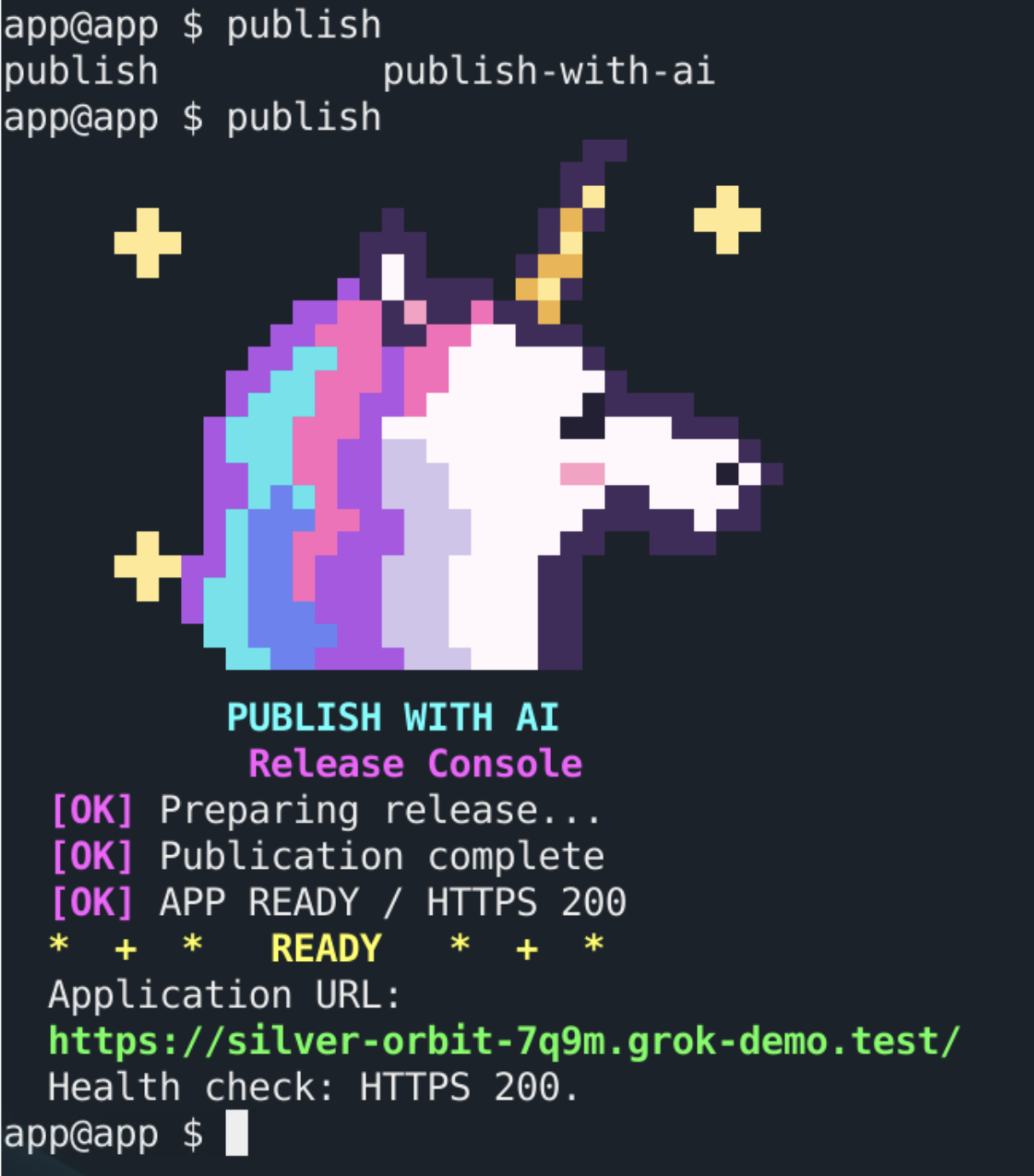
publish command returns the app’s URL and a successful HTTPS health check.02 / The first visit
The USER runs one command. Before the app can respond, something else happens.
USER machine
curl -i https://silver-orbit-7q9m.grok-demo.test/
The machine first asks the DNS server for the IP address associated with the name. In this demo, the DNS server also sends an observation to the Observatory, where the name becomes searchable. This does not happen with every DNS query: real passive DNS services can only index lookups visible to their data sources. DNS sees the hostname, not the contents of the app.

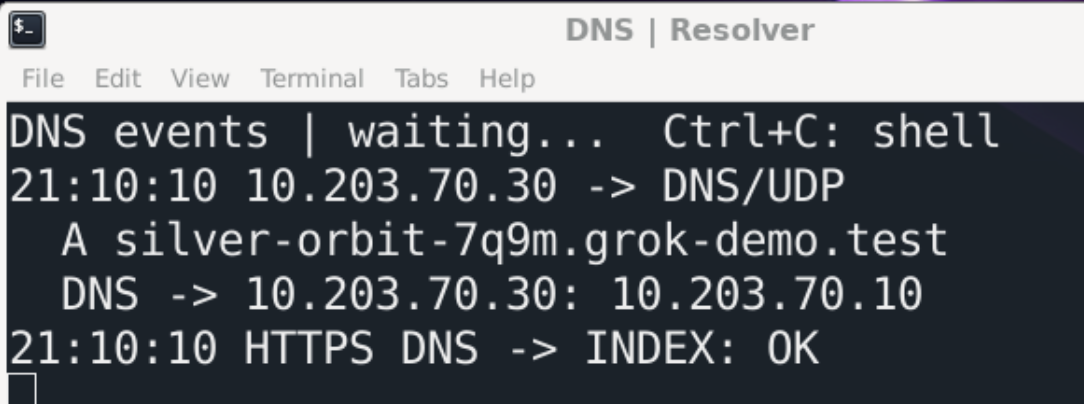
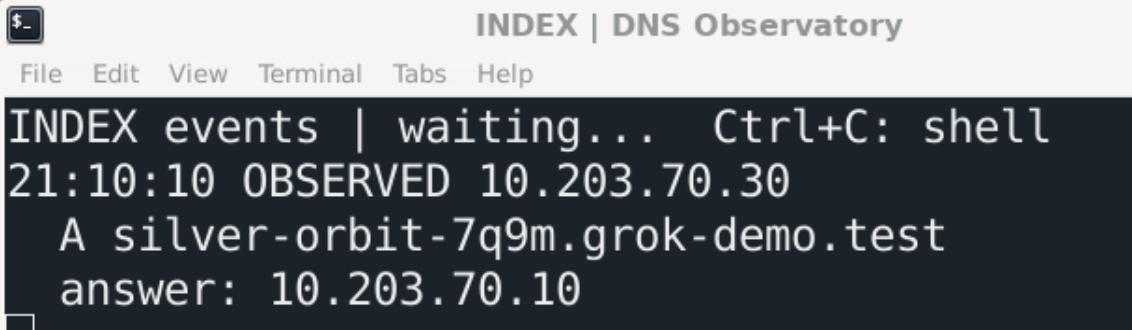
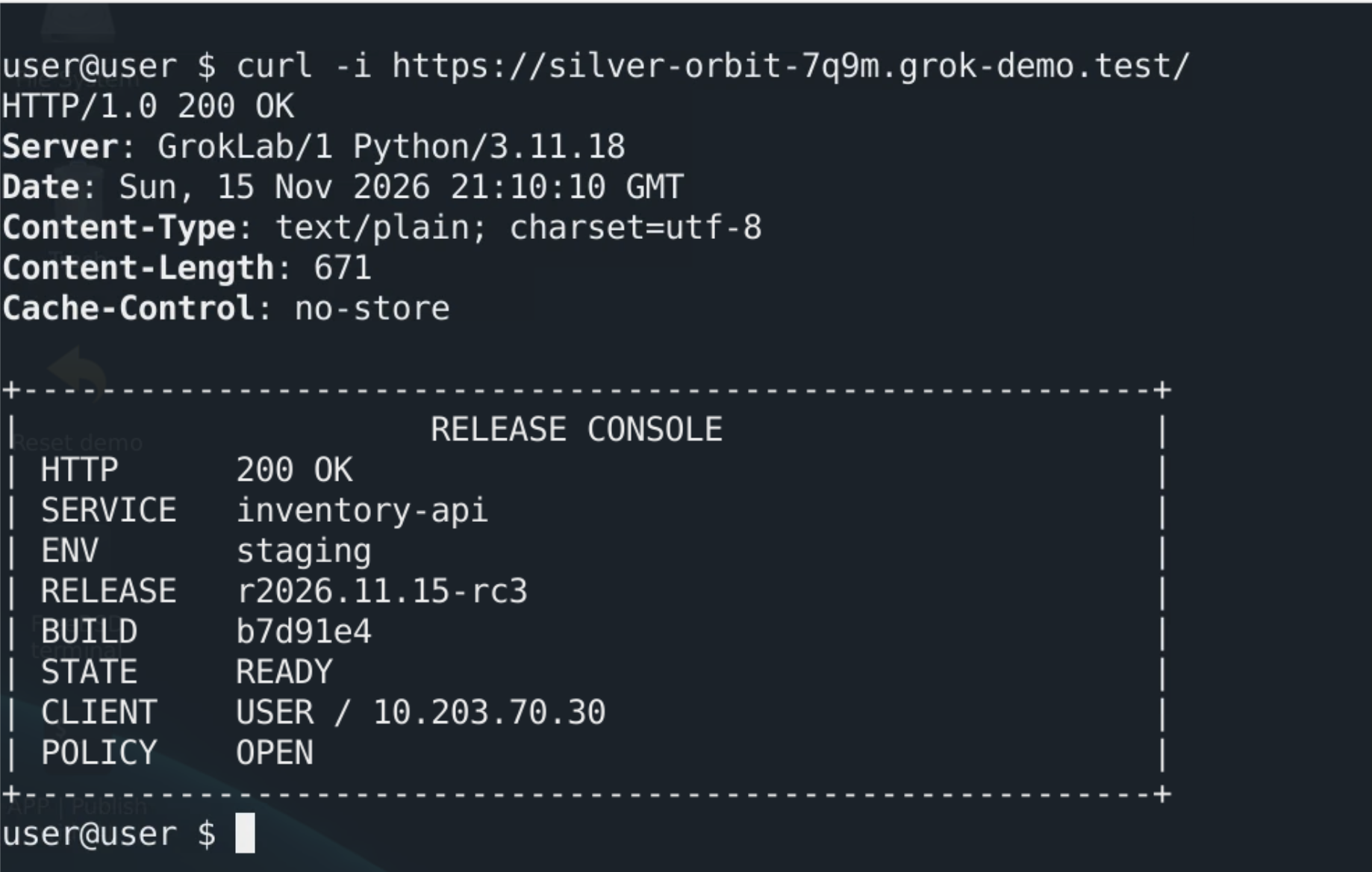
After DNS returns the address, curl reaches the app over HTTPS, and the record comes back to the USER machine.
03 / Finding the address
The HACKER was not sent the app’s link. First, they try common names against the DNS server. One of the ten guesses resolves, but the random silver-orbit-7q9m name does not. This is active DNS enumeration: the HACKER sends the queries directly.
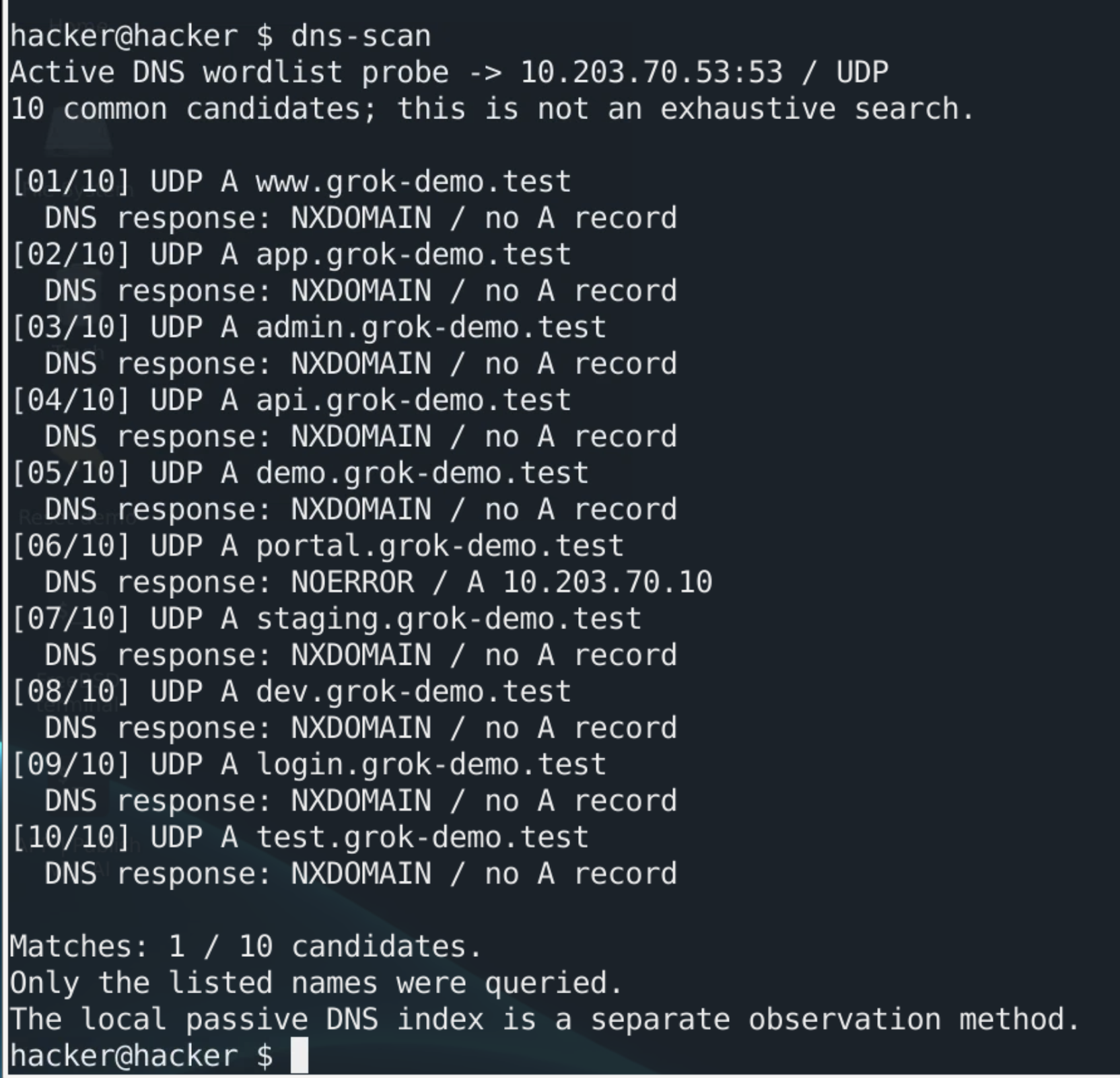
[06/10] A portal.grok-demo.test
DNS response: NOERROR
A 10.203.70.10
Matches: 1 / 10
portal.grok-demo.test, but not the app’s random address.Next, the HACKER searches the Observatory for grok-demo.test. It already holds the observation from the first visit and therefore returns the random app name too. Real passive DNS services can also make previously observed DNS names searchable, though their sources and coverage vary.
HACKER machine, Observatory search
curl 'https://observatory.lab.test/search?q=grok-demo.test'
"name": "silver-orbit-7q9m.grok-demo.test"
"url":  "https://silver-orbit-7q9m.grok-demo.test/"
04 / The discovered URL opens
The HACKER now requests the same URL the intended visitor used. The app returns 200 OK and serves the record. DNS helped reveal the name, but it is the application that releases the data.
HACKER machine
curl -i https://silver-orbit-7q9m.grok-demo.test/
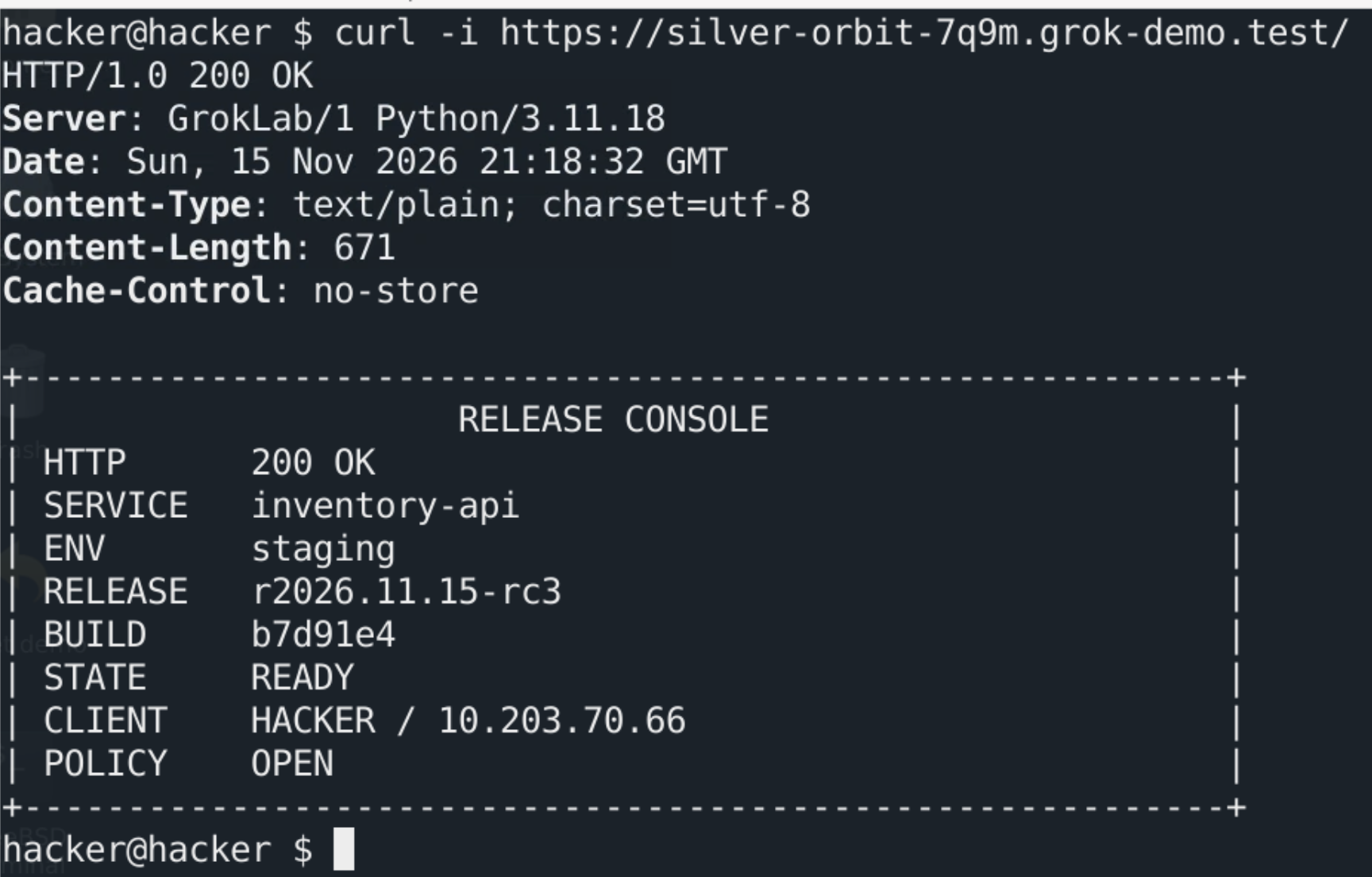
DNS did not fail. The USER opened the link they had received, DNS resolved the name and the Observatory recorded an observation. The published app, however, served internal data to anyone who knew its address. The sharing setting and the right to access the data needed checking before publication.
05 / Same URL, access denied
Now I enable an access rule in the app. This demo allows requests from the USER machine’s address. The protect command does not change the app’s URL, and the name remains recorded in the Observatory.
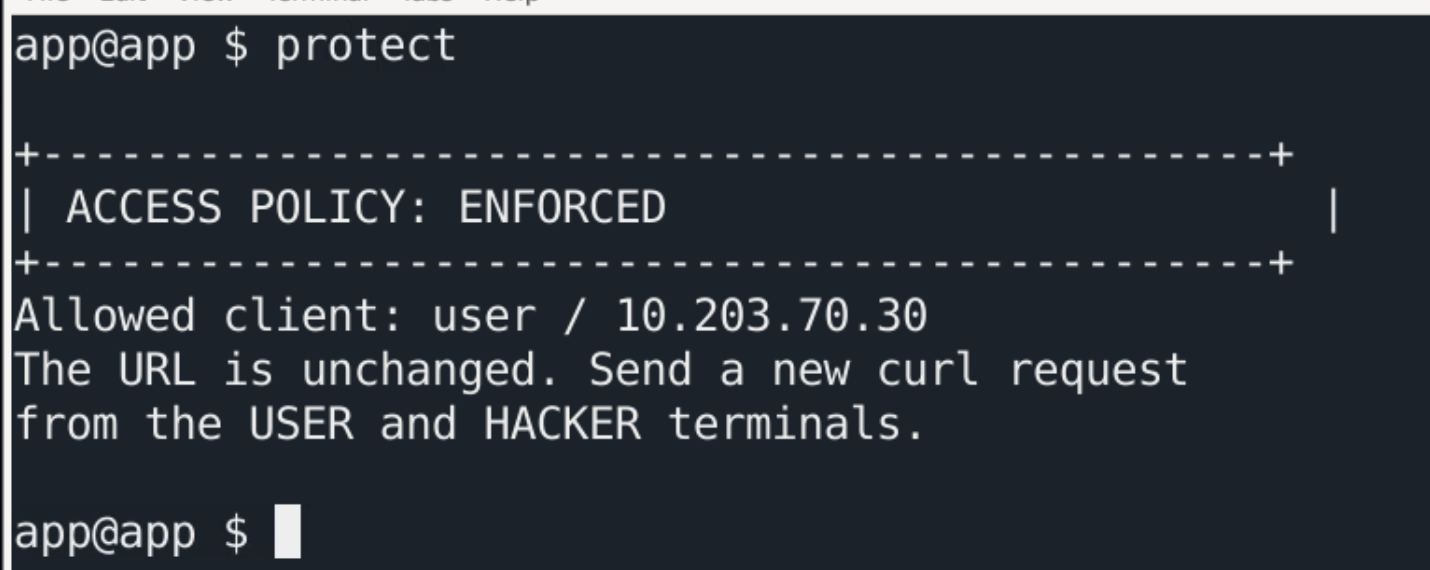
The HACKER repeats the previous request and gets 403 Forbidden. This time, the server refuses to serve the data.
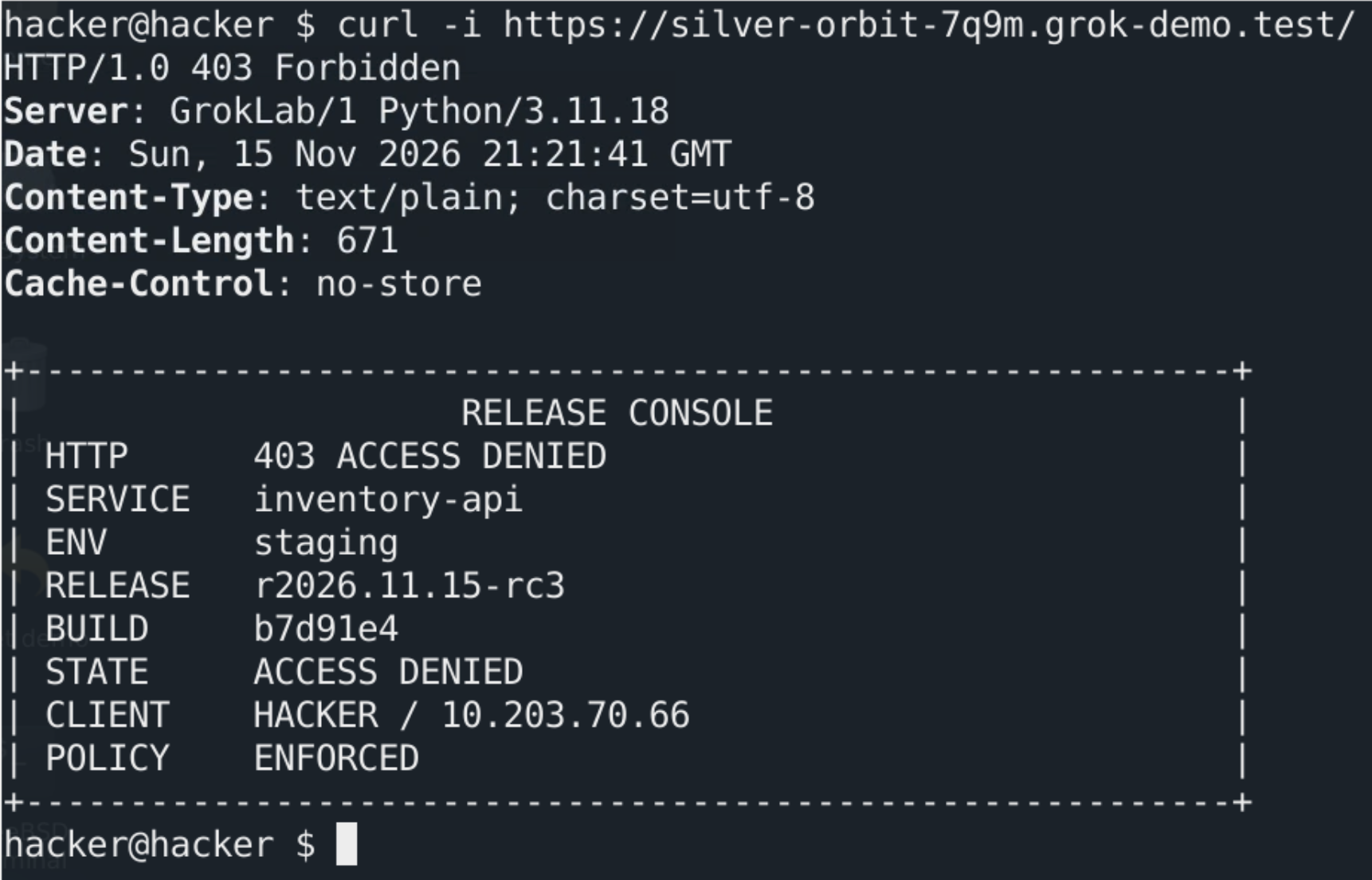
What should have happened?
The application should check who is requesting the data and whether that person is entitled to it. A long, random link cannot replace that decision. An IP-based rule makes the difference visible in this demo. In a production app, the server should verify the user’s identity and their permission to access the specific data requested.
- Inventory published apps. Include those created with AI and rapid development tools. Know who should have access to each one and what data it holds.
- Test as an outsider. Check data-serving endpoints as well as the home page, both without a login and with an account that should not have access.
- Check authorisation on every request. An identified user should receive only the data they are allowed to see. The server should decide, not possession of a link.
- Make publication a deliberate choice. Review sharing settings on the first release and after later changes. AI speeds up the work, so it can also spread a mistaken assumption faster.
Note: This demo shows unauthorised reading. Claroc demonstrated more serious effects in its own test apps: one accepted new data without a login, while another allowed a Google account that had not been invited to read, change and delete customer records. The risk of an open app may extend well beyond viewing its contents.
Do you know who can access your published apps?
It is worth finding out from the outside before an unknown visitor does. In an authorised black-box assessment, Cylantro Labs tests the agreed applications: what can be discovered, what opens without a login and what data an unauthorised visitor can reach. We document verified vulnerabilities in a technical report, an executive summary and practical remediation advice.
Request a quote by email →
Source and further detail: Claroc Research, GhostShares 2.